BlueMaple HXM Pitstop - Journal Entry
By We Support on July 20, 2023
BeginnerJournal Entry
A Journal Entry is an entry made in the general ledger and it indicates the affected accounts.
A Journal Entry is a multi purpose transaction where the debit and credit accounts can be selected.
A Journal Entry is a standard accounting transaction that affects multiple Accounts and the sum of debits is equal to the sum of credits. A Journal Entry Impacts the main ledger.
Home > Accounting > General Ledger > Journal Entry
1. How to create a Journal Entry
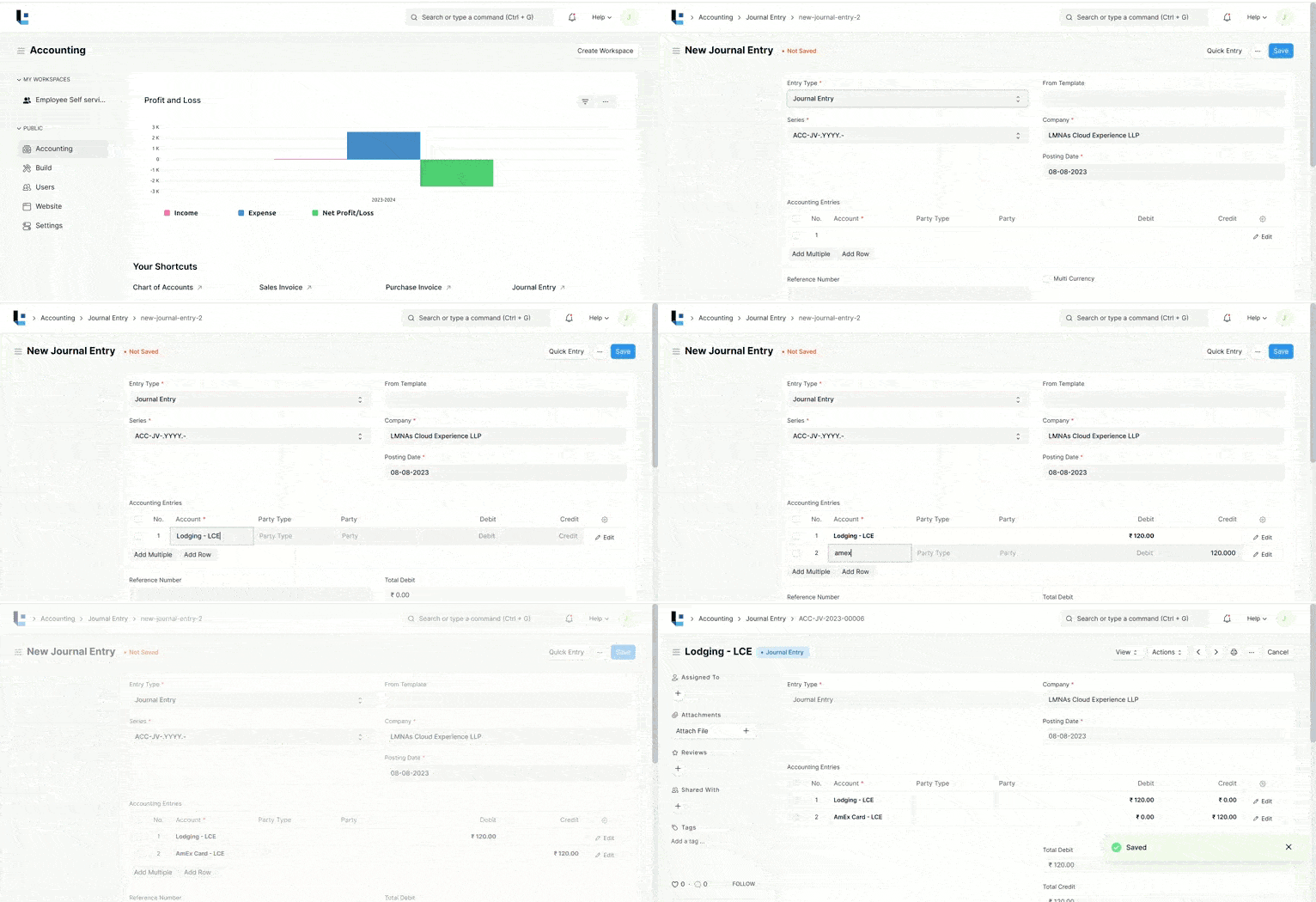
- Go to the Journal Entry list, click on New.
- The default Entry Type will be 'Journal Entry'. This is a general purpose entry type.
- You can change the Posting Date.
- Expand the table, select an Account from which amount is debited.
- Select the Party Type and Party if it's a Debtor entry.
- Add a row where the amount will be credited.
- Enter the reference number and reference date.
- Note that, in the end, total debit and credit amounts should add up to be the Zero.
- Save and Submit.

Was this article helpful?
More articles on Accounting